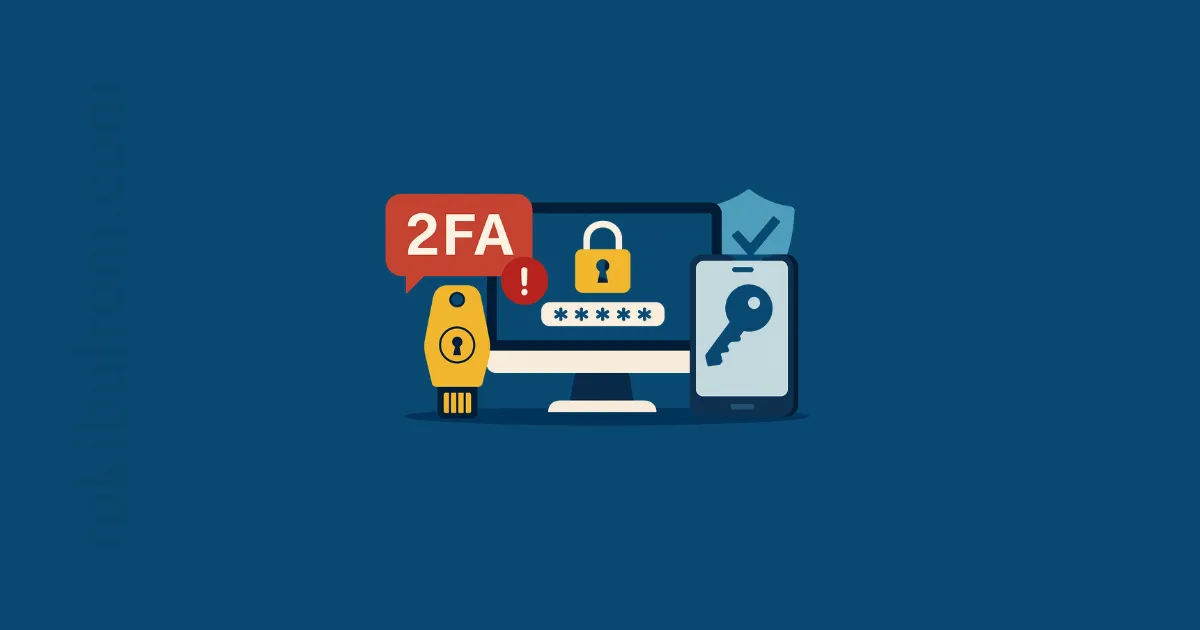
In the ever-evolving cybersecurity landscape of 2025, relying on SMS-based two-factor authentication (2FA) is no longer enough. While SMS one-time passcodes (OTPs) were once the go-to method for securing user accounts, today’s threat actors have outpaced this aging technology. High-profile breaches and advances in phishing techniques are warning developers: it’s time to move beyond SMS 2FA. The good news? Modern authentication standards like FIDO2 authentication and passkeys offer a path to a safer, passwordless future.
This comprehensive guide is written for software developers, startup founders, and security-conscious teams seeking secure authentication solutions. We’ll explore why SMS 2FA is considered insecure in 2025, examine real-world case studies of its failure, and then dive into modern alternatives – from phishing-resistant FIDO2 security keys to user-friendly passkeys. Along the way, we’ll provide practical insights (and an actionable checklist) for implementing these modern methods. By the end, you’ll understand why moving beyond SMS-based 2FA is essential and how to embrace stronger authentication standards that protect users and offer a smoother experience.
Let’s strengthen our defenses and look toward a future without passwords and vulnerable text messages.
Table of Contents
The Problem with SMS 2FA in 2025
SMS-based 2FA (receiving a one-time code via text message) has long been a staple of account security. It’s easy to deploy and familiar to users – enter your password, receive a text, type in the code. However, in 2025 the cracks in SMS 2FA are impossible to ignore. Cybercriminals have developed multiple techniques to exploit or bypass SMS-based authentication, turning this once-trusted mechanism into a liability. Security agencies and experts are warning that SMS is one of the weakest links in the authentication chain.
In fact, security practitioners have frowned on SMS-based 2FA for years because it’s vulnerable to several attack techniques. Modern attackers don’t even need high-tech skills to defeat SMS 2FA – sometimes all it takes is sweet-talking a phone company employee or running a phishing scam. Let’s break down why SMS 2FA is increasingly viewed as insecure and unsuitable for protecting user accounts in 2025.
Why SMS 2FA Is Insecure
SMS 2FA is inherently insecure by design. It relies on the telephone network and SMS protocol, which were never built with robust security in mind. Here are the key reasons why SMS 2FA is considered insecure in 2025:
-
SIM Swap Attacks: Determined attackers can hijack your phone number by convincing (or bribing) mobile carrier support to transfer the number to a new SIM card they control. Once they have your number, they receive your 2FA codes and can take over your accounts. This is alarmingly common; authorities report that SIM swapping fraud has skyrocketed in recent years. According to the FBI, fraudsters stole more than $72 million via SIM swap schemes in 2022 – a huge jump from prior years. Each SIM swap incident completely defeats SMS-based authentication, since the one-time code goes straight to the attacker’s device.
-
OTP Interception & SS7 Flaws: SMS messages can be intercepted or rerouted by exploiting vulnerabilities in the global phone system (SS7 network). State-level attackers or sophisticated hackers have been known to eavesdrop on SMS OTPs in transit. If an SMS can be intercepted, the 2FA protection evaporates instantly. This isn’t just theoretical – real attacks abusing phone routing have been documented, prompting government agencies to label SMS OTP as unsafe.
-
Phishing of Codes: Perhaps the most prevalent risk is good old phishing. Attackers trick users into revealing their SMS code by impersonating a legitimate service. For example, a user gets a fake login page or a phone call asking, “Please read me the code we just sent to verify your identity.” Unaware of the ruse, the user provides the code, which the attacker uses immediately. In one recent high-profile breach (Reddit 2023), an employee was phished into giving up their password and an OTP sent via SMS, allowing attackers into internal systems. Because SMS codes are just digits the user can be duped into sharing, they are highly phishable. Attackers even deploy real-time phishing toolkits that prompt a user for their 2FA code on a fake site and relay it to the legitimate site instantly – before the code expires.
-
Malware and OTP Stealing Trojans: On mobile devices, malware can secretly read SMS messages. A compromised phone might quietly forward OTP texts to an attacker. This means if a user’s phone is infected with certain trojans, SMS 2FA offers no protection – the code is stolen the moment it arrives.
-
Delivery Issues and Social Engineering: SMS delivery isn’t guaranteed – messages can be delayed or fail, frustrating users and sometimes leading them to opt-out of 2FA. Moreover, attackers exploit human support channels: for instance, calling a company’s customer support pretending to be the user and saying “I lost my phone, can you send the code to my email instead?” If support isn’t careful, they might help circumvent SMS 2FA.
These vulnerabilities are actively exploited in the wild. They’re not just theoretical weak points. As one cybersecurity article aptly put it, “The vulnerabilities of SMS OTPs are no longer theoretical—they are actively exploited threats”. Even NIST (the U.S. National Institute of Standards and Technology) recognized this; NIST’s digital identity guidelines have discouraged SMS-based authentication for years, considering it insecure and easily exploitable.
In short, SMS 2FA might be better than no 2FA at all, but it is dangerously weak for today’s threat landscape. A determined attacker can and will find ways around it. As Yubico’s 2025 security survey noted: while SMS OTP is widely offered and many users are accustomed to it, relying on it as a primary factor is “dangerous”. Organizations are increasingly aware that clinging to SMS for authentication is inviting trouble.
Risks and Vulnerabilities of SMS OTPs
Let’s summarize the specific risks associated with SMS one-time passwords (OTPs) in 2025:
-
Phishing Risk: SMS OTPs are phishable. If users can be tricked into entering their code on a malicious site or telling it to someone, the second “factor” provides no real protection. Modern phishing toolkits can snag SMS codes in real time, rendering this 2FA method ineffective against targeted phishing.
-
Channel Security: The SMS channel lacks end-to-end encryption. Telecommunications signaling flaws (like SS7) allow skilled adversaries to intercept or divert messages. Unlike app-based authenticators that generate codes locally, SMS codes travel through networks, making them susceptible to interception. Anything transmitted over external channels (SMS, voice, or email) can potentially be phished or tapped.
-
Device Takeover: The security of SMS 2FA rests on your phone number’s security. Yet phone numbers are quite portable – if someone succeeds in a SIM swap, they completely bypass your 2FA. They don’t need your physical phone or your SIM PIN; a few clever social engineering calls to your carrier can transfer your number. Once that happens, all SMS codes go to the attacker. From banking to email, any account using SMS 2FA is now open season.
-
Lack of Domain Binding: An SMS code is not tied to the website or service domain in question. Contrast this with modern methods (as we’ll see) where the response is bound to the specific site. With SMS, if you mistakenly enter the right code on the wrong site, the code will still work for the attacker. There’s no mechanism for the code to “know” it should only be used on the genuine site, which is why phishing is so effective.
-
User Experience vs Security Trade-off: SMS 2FA can be slow and is not user-friendly in all cases (especially if the user is traveling without phone service, etc.), leading some users to avoid enabling 2FA. Attackers love when users choose convenience over security. Additionally, the ubiquity of SMS 2FA has trained users to expect 2FA codes via text – making fake “verification” text scams easier to pull off (people are used to receiving texts from services).
Given these issues, cybersecurity leaders now urge moving to phishing-resistant multi-factor authentication (MFA) wherever possible. In fact, some government agencies and industry standards are actively pushing organizations to phase out SMS as a form of MFA for high-risk accounts. CISA (the U.S. Cybersecurity and Infrastructure Security Agency) strongly advises adopting phishing-resistant methods (like FIDO2 security keys) and notes that SMS-based 2FA is not considered sufficient for accounts at high risk of targeted attack. The writing is on the wall: SMS 2FA is no longer a best practice in 2025.
Before we explore the solutions, let’s look at some concrete examples of SMS 2FA failing in the real world. These cautionary tales underscore why we must upgrade our authentication game.
When SMS 2FA Fails: Real-World Breaches
It’s one thing to discuss theoretical weaknesses, but quite another to see how attackers have exploited SMS-based 2FA in actual incidents. Unfortunately, there are plenty of examples. High-profile breaches in the past few years have often involved attackers bypassing or breaking SMS 2FA, leading to account takeovers and data theft. Here we highlight a couple of notable cases that should serve as wake-up calls for developers and security teams:
Case Study: Coinbase 2FA Breach
One dramatic example comes from cryptocurrency exchange Coinbase. In early 2021, Coinbase experienced a breach where over 6,000 customer accounts were accessed by attackers – despite those accounts having 2FA enabled. How did it happen? The attackers found a flaw in Coinbase’s SMS 2FA system and exploited it to intercept the 2FA tokens.
Coinbase later revealed details in a breach notification: “More than 6,000 Coinbase users had funds stolen from their accounts after hackers used a vulnerability in Coinbase’s SMS-based two-factor authentication system to breach accounts.”. Essentially, the attackers knew the victims’ usernames and passwords (likely through phishing or previous data leaks) and then took advantage of a bug in the SMS account recovery process to receive the 2FA code. With the code in hand, they logged in and drained crypto funds.
This case was a strong reminder that SMS 2FA can be a single point of failure. If the mechanism to deliver or verify the SMS code has any weakness, attackers will pounce. Coinbase did fix the flaw and reimbursed users’ losses, but the incident reinforced that SMS OTPs are not robust. As one tech news site noted, SMS-based 2FA is vulnerable not only to social engineering and telecom hacks but even to logic flaws in implementation, which can be catastrophic. For crypto companies, financial institutions, and any high-value targets, SMS 2FA now carries an unacceptable risk.
(Internal link: For a deeper dive into why SMS OTPs are being retired, see our article “Why It’s Time to Retire SMS OTPs and Embrace Stronger Authentication”, which explores this shift in detail.)
Case Study: Reddit’s 2023 Phishing Incident
Even tech-savvy companies are not immune. In February 2023, popular website Reddit suffered a security incident that showed the weakness of SMS-based 2FA when faced with a clever phish. According to Reddit’s disclosure, a sophisticated phishing campaign targeted Reddit employees. One employee fell for the scam, entering their credentials into a fake site and also providing the one-time login code sent to their phone. Reports indicate that this OTP was delivered via an SMS text message (Reddit had allowed SMS-based 2FA for employees).
Armed with both password and 2FA code, the attackers were able to breach Reddit’s internal systems, accessing source code and internal documents. Fortunately, the breach was detected quickly and contained, but it illustrated a crucial point: if your 2FA can be phished, it offers little protection. Reddit’s incident mirrored a pattern seen in many organizations – the weakest link was an SMS text. Security experts commenting on the case noted that SMS 2FA has been considered weak for years due to exactly such vulnerabilities.
In the aftermath, companies like Reddit have redoubled efforts to implement phishing-resistant MFA for their staff. It’s very likely that Reddit (and many others) either have moved or are moving to app-based authenticators or FIDO2 security keys for employee accounts post-incident. The lesson for developers: if you still allow SMS 2FA for your application, a similar phishing toolkit could trick your users or employees just as well. And as these case studies show, once the code is compromised, the account is fully compromised.
The Cost of SIM Swaps in 2022
Beyond specific company breaches, consider the broader trend: SIM swap fraud (which directly undermines SMS 2FA) is causing massive financial losses worldwide. We mentioned earlier the FBI’s report of $72+ million stolen in one year via SIM swaps. To put that in perspective, the FBI noted that SIM swap losses in 2022 were more than double the losses from ransomware in the same period! Yes, you read that correctly – criminals stole more money by hijacking SMS 2FA (often to loot bank and crypto accounts) than by deploying ransomware. That statistic alone should make any developer pause and reconsider continuing to rely on text messages for security.
Why such staggering losses? Because SIM swap is a low-tech, high-impact attack. Attackers don’t need to write malware or crack encryption; they simply target the human element at phone companies. Once they control a victim’s phone number, they can reset passwords on any service tied to that number. Typically, this is how it plays out:
- Target Identified: Attacker obtains victim’s login (often email) and perhaps password via phishing or data leak.
- Number Hijack: Attacker convinces victim’s mobile carrier to transfer the phone number to a SIM they own (using social engineering or bribery).
- Account Reset: Attacker goes to the website’s login, clicks “Forgot password”, and uses phone SMS as the recovery method. The reset code goes to them now.
- Takeover: They reset the password and log in, or simply intercept the SMS 2FA code during a login attempt.
Any service that uses SMS for account recovery or 2FA becomes vulnerable. And because this attack often targets wealthy individuals or crypto enthusiasts, the payouts can be huge – hence the $72M figure.
For developers, the takeaway is: SMS-based authentication can make your users a target. If your app safeguards valuable data or money, and you rely on SMS, a successful SIM swap on one of your users could lead to a devastating account breach. It’s a scary thought, but one we must confront. In 2025, it’s our responsibility to provide safer alternatives.
Modern Authentication Standards to the Rescue
Enough doom and gloom about SMS – what should we be using in 2025 to secure user accounts? The good news is that the industry has been hard at work developing and promoting modern authentication standards that address the very weaknesses we’ve discussed. Two of the headline solutions are FIDO2 (with the related WebAuthn standard) and passkeys. These technologies are closely related and represent the cutting edge of phishing-resistant, secure authentication.
Unlike SMS 2FA (and even unlike one-time code generator apps), these modern methods use public key cryptography and devices like security keys or built-in authenticators. They eliminate the need to send secrets over the network and ensure that credentials are bound to the legitimate website, thwarting phishers. Let’s break down these concepts in approachable terms:
What is FIDO2 Authentication?
FIDO2 is an open authentication standard that enables passwordless and phishing-resistant logins using cryptographic keys. If that sounds complex, let’s simplify:
- Under FIDO2, when a user registers for authentication, their device creates a key pair: a public key and a private key.
- The public key is sent to the server and stored there. The private key never leaves the user’s device (it’s often stored in a secure enclave or hardware key).
- When the user needs to log in, the server sends a random challenge. The user’s device uses the private key to sign this challenge (usually after the user unlocks the key by a fingerprint, face scan, PIN, or just presence like touching a security key).
- The server verifies the signature with the stored public key. If it matches, it knows this must be the legitimate user (since only their device could produce that signature).
Crucially, no shared secret (like a password or code) is ever transmitted. The private key stays put, meaning an attacker can’t steal it via phishing or network interception. Also, the signature operation includes the domain of the website, so a phishing site on another domain cannot trick the device into signing. This makes FIDO2 highly phishing-resistant by design.
In practice, FIDO2 authentication usually takes two forms:
- Using a hardware security key (a physical USB/NFC device) that implements the FIDO2/WebAuthn standard.
- Using a platform authenticator built into a device (like Touch ID or Face ID on your phone, or Windows Hello on PCs) as a FIDO2 credential.
These can be used either as a second factor (2FA) or as a replacement for passwords entirely (passwordless login). Many services initially deploy FIDO2 as a second factor option (e.g., “sign in with your security key after entering your password”), but increasingly we’re moving to a world where users can log in with passkeys alone – which is FIDO2 in a passwordless mode.
Why FIDO2 is a game-changer: It eliminates the weaknesses of SMS and OTPs:
- There’s nothing to phish via a fake website because the login won’t proceed unless the real site is asking (the cryptographic exchange checks the origin).
- There’s nothing to intercept over the network because the “secret” never leaves the device.
- Even if an attacker breaches a company’s server and steals the stored public keys, they can’t use them to impersonate users (public keys are not secrets, and without the private key they’re useless).
In short, FIDO2 provides strong authentication with a great user experience (a tap of a security key or a fingerprint scan instead of typing codes). It was developed by the FIDO Alliance and W3C, and is now supported in all major browsers and operating systems. As of 2025, we see major adoption:
- Microsoft is moving to make passkeys (FIDO2) the default for new accounts, signaling a shift away from passwords entirely.
- Google has made passkeys available and even default for Google accounts, calling it “the beginning of the end” for passwords.
- Apple has built-in support for FIDO2 in iOS, iPadOS, and macOS (Touch ID/Face ID) and is heavily promoting passkeys through Safari and iCloud Keychain.
All these moves align with a common goal: reduce reliance on passwords and legacy 2FA, and move to phishing-resistant authentication.
Passkeys in 2025: The Passwordless Revolution
You’ve probably heard the term passkey increasingly often (if not, you certainly will this year!). Passkeys are essentially the consumer-friendly name for FIDO2 credentials that are used in a fully passwordless way. A passkey is a FIDO2-based credential (public/private key pair) that is stored on your device and usually synced across your devices for convenience.
Think of a passkey like a superior replacement for a password. Instead of you having to remember a password and supply it (and then perhaps a code), your device will handle the cryptographic login behind the scenes. You just authenticate to your device with your PIN or biometrics, and voilà – you’re logged in, without typing any secret. It’s both easier and more secure.
Some key points about passkeys:
- Usability: Passkeys are designed to be easy. For the user, logging in with a passkey often looks like “Select your account, then use your fingerprint or face to confirm.” There’s no need to reach for a phone to read an SMS or open an authenticator app – the device you’re using (or a nearby device) is the authenticator.
- Sync and Backup: A challenge with using cryptographic keys is “What if I lose my device?”. Apple, Google, and Microsoft have tackled this by allowing passkeys to be synced securely through cloud keychains (e.g., Apple’s iCloud Keychain, Google Password Manager). For instance, if you register a passkey on your iPhone, it can sync to your Mac or iPad through iCloud. This way, even if you lose one device, your passkeys aren’t gone forever – you can still log in using another device. This cloud sync is end-to-end encrypted so that even the tech companies themselves cannot read your passkeys (only your devices, which have your biometric/PIN, can use them).
- Multi-device Use: Passkeys can also be used across platform via QR codes or Bluetooth. For example, you can log into a website on your Windows laptop by using a passkey stored on your iPhone – the site shows a QR code, you scan it with your phone, your phone asks for Face ID, and then logs you in on the laptop. This cross-device capability is crucial for adoption, and standards like WebAuthn and CTAP have made it possible.
- Phishing Resistance: Just like any FIDO2 method, passkeys are phishing-resistant. If you’re on a fake site, your browser’s WebAuthn API will not even call up your passkey prompt because the domain won’t match. Even if an attacker somehow tricks you into trying, the passkey from “evil.com” simply won’t work on “good.com” – the cryptography ensures that.
The year 2025 is poised to be the breakthrough year for passkeys. Already, adoption is rapidly picking up. The FIDO Alliance reported that by January 2025, more than 1 billion people worldwide have activated at least one passkey. That’s an astonishing number, highlighting how quickly this once new concept has gone mainstream. Consumer awareness of passkeys jumped from around 39% to 57% in just two years – people are starting to realize what these are.
Major tech companies are strongly pushing the narrative:
- Google’s promotion of passkeys as default sign-in is a huge validator (no more dealing with phishing-prone SMS codes for Google accounts).
- Microsoft’s announcement of passkeys being encouraged for new accounts shows even enterprise giants see this as the future.
- Apple’s deep integration of passkeys in all its devices (and marketing around it, like at WWDC events) is acclimating users to a passwordless future.
All of this means developers should prepare: users will begin expecting passkey support in the apps and services they use. And from a security perspective, implementing passkeys is one of the best things you can do to protect your user base. A passkey is essentially MFA in one step (something you have – the device with the private key, plus something you are/know – your biometric or PIN to unlock it). Users experience it as a quick biometric login, but under the hood it’s a strong two-factor (possession + inherence/knowledge) authentication that is resistant to remote takeover.
It’s worth noting that passkeys and FIDO2 are backwards-compatible in the sense that a physical security key (like a YubiKey) can also store passkey credentials for services, and a platform authenticator like Windows Hello can be used as a second factor if a service wants to require both password and key. The technology is flexible. The important part is that **we’re moving away from shared secrets (passwords, SMS codes) toward cryptographic authenticators.
Hardware Security Keys & Biometrics
While discussing FIDO2 and passkeys, we should highlight the role of hardware security keys and biometric authentication, as they are often part of modern MFA deployments:
-
Hardware Security Keys (e.g., YubiKey, Titan Key): These are small USB or NFC devices that implement FIDO2/U2F standards. Users register them with services, and then use them to log in by plugging in and tapping the key (or via NFC tap). They often require the user to set a PIN and/or just detect a touch (to ensure a human is present), fulfilling the “something you have” factor in a very reliable way. Hardware keys are incredibly phishing-resistant. For instance, Cloudflare reported an incident where attackers did steal employee credentials (through phishing), but because Cloudflare had mandated hardware security key login, the attackers were stopped cold – they couldn’t get past the security key requirement, and the breach was averted. That’s a powerful real-world example of a “phishing-resistant flow” in action: even with the password, without the key the attacker was foiled. Hardware keys have proven so effective that Google famously announced years ago that none of its 85,000+ employees had fallen victim to account takeover after they started using security keys internally.
-
Biometrics: Fingerprint scans, facial recognition, or even iris scans – these are biometric factors (something you are) that can be used to unlock a device or an authenticator. In the context of FIDO2/passkeys, biometrics are typically used to unlock the private key on the user’s device. For example, your phone will only use your passkey for a site after you pass Face ID or fingerprint. The biometric itself isn’t sent over the network (and good implementations never upload your biometric data; it stays local). Biometrics provide convenience – you are your own “key”. However, biometrics alone are not typically an authentication factor to a server; they are local. So we usually talk about biometrics as part of a passwordless flow where the biometric unlocks the cryptographic factor (private key). Biometrics greatly improve usability (no one wants to type a long PIN every time), and when combined with the underlying cryptography, they make the overall MFA process both stronger and easier to use.
-
Push Notifications with Number Matching: Outside of FIDO2, another modern improvement (though not as strong as FIDO) worth mentioning is how some authenticator apps have evolved. For example, Microsoft Authenticator and others introduced push approval with number matching. When you try to log in, a notification pops up on your phone asking “Are you trying to sign in? If yes, enter the number 42 to approve.” The app shows 42, the phone requires you to input 42. This is to prevent simple “Yes/Allow” pushes that attackers can abuse (MFA prompt bombing attacks). While this is a good improvement on traditional push or OTP, it’s still not as phishing-proof as FIDO2 (it’s conceivable a user could be tricked into entering the number on a phishy app). CISA and others have pointed out that push-based MFA without additional verification (like number matching) is increasingly vulnerable. Thus, the trend is toward either hardening these methods or replacing them with FIDO where possible.
From a developer perspective, integrating FIDO2/authenticator support has become much easier. All major web browsers support the Web Authentication API (WebAuthn), which means with a bit of JavaScript you can enable users to register security keys or platform authenticators on your website. Likewise, mobile platforms have native frameworks. You don’t have to implement cryptography on your own; you use the high-level APIs provided.
It’s also important to note that using multiple methods is okay. You can offer passkeys, but also have backup options (like an authenticator app or even SMS as a last resort fallback for users who can’t use the modern methods). The key is to prioritize the secure methods and gently push users toward them, eventually phasing out the weakest links.
Now that we’ve explored the old and the new, it’s useful to directly compare SMS 2FA, FIDO2, and passkeys to crystallize the differences.
SMS 2FA vs FIDO2 vs Passkeys: Security Comparison
To truly understand the leap in security (and user experience) that modern authentication offers, let’s compare legacy SMS 2FA with FIDO2 security keys and passkeys across several dimensions. We’ll also illustrate where other methods like OTP apps or push notifications fall, via an “authentication ladder” of strength.
The Authentication Security Ladder (Weakest to Strongest)
To visualize the progression from weaker to stronger authentication, consider the authentication ladder below. Each step up the ladder adds security (often at the cost of a bit more user friction, though modern methods aim to increase security while reducing friction):
-
Single-Factor Only (Password Only) – Weakest. Only a username and password protect the account. This is highly insecure in 2025 given rampant credential leaks and phishing. A single stolen or guessed password means game over.
-
Password + SMS 2FA – Adds a second factor via a text message OTP. This is a step up, addressing some automated attacks, but as discussed, still vulnerable to SIM swaps, interception, and phishing. Considered a low tier 2FA by today’s standards.
-
Password + OTP App (TOTP) – Instead of SMS, the user gets a 6-digit code from an authenticator app (e.g., Google Authenticator). This is better than SMS because it’s offline (can’t be intercepted over network) and not tied to phone number. However, TOTPs can still be phished (user can be tricked to provide the code) and are susceptible if the phone is malware-infected. It’s a medium tier 2FA – decent but not foolproof.
-
Password + Push-based 2FA – The user receives a push notification to approve the login (possibly with additional info or number matching). This improves user experience (one tap approval) and can mitigate some phishing if implemented well (e.g., showing details of login attempt). But push fatigue and certain push phishing techniques exist. Slightly stronger if number matching is used, but still not totally phishing-proof. (Let’s call this medium-high tier 2FA.)
-
Password + FIDO2 Security Key – The user must present a physical security key (or use a biometric authenticator) in addition to password. This is very strong – an attacker who steals the password still can’t get in without the key. Phishing won’t work because the key won’t authenticate to a fake domain. This is essentially strong MFA (two factors: knowledge = password, possession = key, with phishing resistance).
- Passkey / Passwordless FIDO2 (Device + Biometric/PIN) – Strongest. Password is eliminated; login is done with a cryptographic key (possession) plus biometric/PIN (inherence/knowledge). This is both highly secure and user-friendly. Phishing-resistant, no shared secrets. Even if one factor (say your biometric) is compromised, the attacker still needs your physical device, and vice versa. This top rung offers the best of security and convenience.
-
-
-
-
Each step up the ladder reduces the attack surface. Notably, the jump from OTP/push to FIDO2/passkeys is a quantum leap in phishing and theft resistance. While no method is 100% invincible (nothing in security is), FIDO2/passkeys come close, especially for remote attack protection. Most importantly, they remove the human element from the loop of transmitting secrets – which is where traditional 2FA fell short (humans can be tricked into giving away OTPs).
Comparison Table: Legacy vs Modern MFA
To further clarify the differences, here’s a quick comparison table of SMS 2FA vs FIDO2 vs Passkeys on important criteria:
| Aspect | SMS 2FA (OTP via Text) | FIDO2 Security Key (e.g., YubiKey) | Passkeys (FIDO2 on devices) |
|---|---|---|---|
| Phishing-Resistance | No. Users can be tricked into giving the SMS code to a fake site or attacker. Codes are not bound to the real service – phishable and interceptable. | Yes. The key will only complete cryptographic auth for the legitimate domain. U2F/FIDO2 protocols were specifically designed to thwart phishing. | Yes. Same FIDO2 protections apply. The device won’t sign in to impostor websites. Users just confirm via biometric, no codes to give away. |
| Vulnerabilities | Vulnerable to SIM swap, network interception, SMS phishing, malware reading texts. Depends on telecom security (which is often weak). | Very robust. Only significant vulnerability is physical loss/theft of the key (and even then, many keys are PIN-protected). No known remote exploits when used as intended. | Very robust. Main risk is device compromise (malware on device or cloud account breach). Even then, the attacker typically needs device access and biometric/PIN. End-to-end encryption of synced passkeys mitigates cloud risks. |
| User Experience | Moderate. Usable but can be annoying (wait for code, transcribe it). Fails if user has no cell signal. Adds friction to login. | Moderate. Slight initial setup effort. Using it is quick (insert key and tap). Can be inconvenient if the key isn’t nearby. Ideal for employees/tech-savvy users; some end-users find carrying a key burdensome. | High. Extremely easy to use: just a biometric prompt. Nothing to carry (uses phone or computer you already have). On a new device, may involve scanning a QR or logging into your account to fetch passkey – still smoother than typing passwords and codes. |
| Adoption & Support | Universally supported by basically all services, but discommended by experts now. Still allowed as a fallback in many apps, though companies are trying to migrate away from it. | Widely supported in major services (Google, Microsoft, Twitter, etc., all support security keys). WebAuthn API available in all modern browsers. Adoption among general users is lower (requires purchasing a device), but many companies mandate keys for admins and high-privilege users. | Rapidly growing support. By 2025, most big players (Apple, Google, Microsoft, PayPal, etc.) support passkeys. WebAuthn makes it easy for any web app to implement. Still emerging, but momentum is huge – expected to become a standard login option everywhere. |
| Cost & Practicality | Cheap for providers (SMS has some cost per message, but minimal). No extra device needed for users (uses phone they already have). However, SMS delivery costs can add up for services at scale, and messages can be delayed. | Cost involves buying the keys (~$20-$50 per key). Organizations often provide these to employees. For consumer apps, expecting users to buy a key can be a barrier. However, keys last long and can be used across many accounts. | No direct device cost (leverages user’s existing smartphone or computer). Implementation is mostly software. Some development effort to integrate, but many SDKs exist. From a cost perspective, it can even reduce password reset overhead in the long run. |
| Recovery & Backup | If user loses phone or changes number, they typically rely on account recovery via email or backup codes. Ironically, those flows often bypass 2FA entirely. Also, SIM swap means an attacker can perform “recovery” pretending to be the user. Account recovery is a weak link here. | If a user loses their security key, they need a backup key or alternative 2FA registered (or resort to account recovery via other means). Admins should encourage registering two keys. Some services allow fallbacks like OTP if key is lost, but that can reduce security. Handling lost keys requires policies (like backup codes given at setup). | If a user loses one device, their passkeys are still available on their other devices (thanks to syncing). Even if all devices are lost, most ecosystems have a cloud backup (with strong encryption). Users can also print out recovery codes for some services. Overall, passkeys offer a safer recovery story – often tied to the user’s broader cloud account (which can itself be secured with strong MFA). |
(Note: Other MFA methods like authenticator apps and push notifications would fall somewhere in between SMS and FIDO2 on many of these aspects. They improve security by removing telecom dependence, but they still share the “shared secret” model (TOTP codes that can be phished) or suffer from user-approval weaknesses (push fatigue). The industry consensus is that phishing-resistant MFA – primarily FIDO2/passkeys or smart cards – is the goal for high-security applications.)
As you can see, SMS 2FA falls short in every category except initial convenience, and even there it’s debatable. Modern standards like FIDO2 and passkeys vastly improve security and, when implemented right, can even make the login process easier for users. It’s a rare win-win: better security and better usability.
Given this, the next question is: How can developers and organizations transition to these modern authentication methods? In the next section, we’ll provide a roadmap for adopting FIDO2 and passkeys, along with a checklist to help ensure you cover all bases.
Implementing FIDO2 and Passkeys: A Call to Action for Developers
By now, it should be clear that moving beyond SMS 2FA is not just an option – it’s a must for robust security in 2025. As a developer or tech decision-maker, you might be wondering how to actually implement these modern methods in your applications or services. The task can seem daunting: new standards, potential user education challenges, and legacy systems to maintain. But the transition can be done incrementally and effectively.
Consider this a rallying cry and a guide: it’s time to take action and embrace FIDO2, passkeys, and other modern MFA solutions. Not only will you be protecting your users (and your company’s reputation), but you’ll also be positioning your product as forward-thinking and user-friendly.
Steps for Adopting Modern Authentication in 2025
-
Offer Passkeys / WebAuthn as an Option: If you haven’t already, enable support for WebAuthn on your login and registration flows. This means users with a security key or platform authenticator can register it as a 2FA method (or even as a first-factor login if you allow). Even if only a small fraction use it at first, you’re future-proofing your app. Many frameworks have libraries or plugins to add WebAuthn support. For instance, web developers can use the JavaScript Web Authentication API directly, and there are higher-level libraries in most languages.
-
Educate Your Users: Whenever you introduce a new authentication option, include in-app education. Explain what a passkey is in simple terms when prompting a user to create one (“Skip typing passwords next time by creating a passkey — a secure, one-tap login tied to your device”). Emphasize the benefits (security and convenience). Google, Apple, and others are doing heavy lifting here by educating users in their own UIs; you can piggyback on that growing awareness. As Yubico’s experts recommended, encourage users to enroll passkeys and educate them on the value to build buy-in.
-
Make Passkeys/Keys the Preferred Method: Whenever possible, nudge users towards the more secure methods. For example, after a user successfully logs in with a password, you might show a prompt: “Secure your account with a passkey to simplify future logins and enhance security.” If your user base is developers or security-conscious, you can be more direct about the security advantages; if it’s a mainstream audience, focus on ease (“no more codes or passwords!”). Over time, consider making passkeys the default for new users (with an option to set a traditional password only if they skip setting up a passkey).
-
Gradually Phase Out SMS: You don’t have to kill SMS 2FA overnight (especially if a portion of users rely on it), but you can start phasing it to a backup role. One strategy: stop advertising SMS 2FA as an option for new 2FA enrollments. Instead, list “Authenticator app or passkey” as the recommended 2FA methods. Existing SMS 2FA users can be approached with campaigns to shift – e.g., send them an email explaining the benefits of switching to an authenticator app or security key, and perhaps offering a discount on a security key if you have the means. The goal is to shrink the SMS 2FA userbase over time. Perhaps by 2025’s end, SMS could be your last-resort method (or removed entirely if feasible).
-
Implement Phishing-Resistant MFA for Employees/Admins: Ensure that anyone with elevated access (your developers, IT admins, etc.) are required to use phishing-resistant MFA – ideally security keys or platform authenticators. This protects your organization from the kind of breaches we discussed (like the Reddit one). Many companies start their FIDO2 journey internally: require keys for VPN or admin portal access. This not only secures critical accounts but also lets you gain experience with deployment at a smaller scale before rolling out to customers.
-
Use Frameworks and SDKs: There are many tools out there to ease the implementation. For web apps, the WebAuthn API in the browser is your friend – it handles the heavy crypto. For mobile apps, both iOS and Android have native passkey APIs (ASAuthorizationPlatformPublicKeyCredential on iOS, and similar APIs in Android Jetpack). There are also services and SDKs that abstract things if you don’t want to build it all yourself – for example, cloud authentication services that offer FIDO2 integration. Leverage these instead of reinventing the wheel.
-
Test Across Devices: When implementing passkeys, test the experience on various ecosystems – e.g., creating a passkey on an iPhone and using it on a Windows browser via QR code, etc. Ensure your UI provides clear instructions for such cross-device use. The smoother it is, the more users will adopt it. Pay attention to the user experience flow, not just the security. Modern auth can actually reduce friction, but only if implemented with UX in mind.
-
Backup Options and Account Recovery: One challenge in going passwordless is account recovery. Plan and implement a secure account recovery method for users who lose access to their devices (e.g., allow a set of recovery codes to be generated and stored offline by the user, or have a recovery process via verified email/phone with human verification – but be careful, that can reintroduce social engineering vectors). Inform users upfront: “Be sure to save these recovery codes in a safe place in case you lose your device.” If your user loses their phone and that held their passkeys, how will they regain access? Solve that for a smooth transition.
-
Stay Updated and Iterate: The authentication space is evolving. Stay tuned to updates from the FIDO Alliance, W3C WebAuthn specs, and industry adoption news. For example, new features like multi-device credentials (where a security key can work on multiple devices without re-registration) or enhancements in OS support will continue to roll out. Also monitor user feedback – if users are confused about something in the new login process, refine your messaging or UX. Transitioning from decades of password-plus-OTP habits takes some adjustment for everyone.
Implementing these steps will put you on the right track to rid your app of insecure 2FA practices and usher in a safer era. You don’t have to do it all at once; prioritize based on your context. For a fintech app with high-risk transactions, you might aggressively push passkeys and drop SMS ASAP. For a small forum site, you might simply add WebAuthn as an option for the handful of users who care, and ensure you at least support app authenticators over SMS for the rest. Tailor the approach, but have the same goal: eliminate the reliance on SMS OTPs as soon as practicable.
Developer Checklist: Secure Authentication Implementation
To wrap up this section, here’s a handy checklist for developers and security teams to ensure you cover all bases when improving authentication in 2025:
-
✅ Disable SMS OTP for admin accounts. Mandate security keys or at least TOTP apps for any administrative or privileged access. This protects your system’s keys to the kingdom.
-
✅ Implement WebAuthn (FIDO2) support on your login and/or 2FA setup pages. Even if hidden behind a feature flag initially, get the plumbing in place.
-
✅ Encourage passkey creation during user onboarding or as a post-login prompt. Make it easy and a no-brainer (“1-click to secure your account with a passkey!”).
-
✅ Provide an authenticator app option for users who may not have compatible devices for passkeys. A time-based one-time password from an app is safer than SMS and can serve as a middle ground for those not ready for passkeys.
-
✅ Phase out SMS in stages – e.g., remove it from the UI for new setups, later disable it for logins where a user has another 2FA method enrolled. Communicate clearly to affected users about the change and reasoning (they’ll appreciate that it’s for their security).
-
✅ Update your documentation and support articles. Include FAQs about “Why can’t I use SMS codes?” explaining the security rationale. Also cover “What is a passkey?” in user-friendly language.
-
✅ Conduct security testing on your new flows. Try to phish your own implementation (on a test setup) to ensure the FIDO2 flows truly aren’t bypassable. Also test for UX pitfalls (like what if a user cancels halfway, is the fallback flow clear?).
-
✅ Monitor uptake and success rates. Use metrics: how many users are enrolling passkeys? Any drop-off in logins or increase in support tickets? This will help you refine the rollout. Often, you’ll find a silent majority just uses the easier method without comment, and a handful of users might need extra help – focus on helping them.
-
✅ Keep legacy backup for emergencies, but behind support. For instance, if SMS must be kept for now, restrict its use. Some services require users to call support and verify identity to get an SMS code as a last resort – which dramatically reduces the attack surface compared to self-service SMS 2FA. Aim to make it an exception, not a rule.
-
✅ Stay compliant with regulations. Certain industries have specific requirements for authentication. The good news: regulations (like PSD2 in Europe for banking, or various guidelines from NIST, etc.) are increasingly aligned with moving away from SMS. Make sure your implementation meets any MFA requirements (FIDO2 usually will).
By following this checklist, you’ll be well on your way to providing secure authentication for developers and users alike – fulfilling the promise of modern MFA in 2025. Remember, every step you take to remove an insecure element (like SMS 2FA) and replace it with a secure one (like a passkey) is a win for both security and user trust.
Next, let’s address some common questions that might arise as we move beyond SMS 2FA and into the era of FIDO2 and passkeys.
FAQ: Common Questions on 2FA, MFA, and Passkeys
In this FAQ section, we’ll answer some frequent questions that developers, IT teams, and end-users have about moving beyond SMS 2FA, the difference between MFA and 2FA, and implementing passkeys.
Q: Why is SMS 2FA considered insecure in 2025? A: SMS-based 2FA is vulnerable to multiple attacks. Hackers can perform SIM swap fraud to hijack your phone number (receiving your 2FA codes), intercept SMS messages through telecom network flaws, or simply phish you into giving up the code. Because the one-time code is transmitted or displayed to the user, an attacker has many opportunities to steal it. In short, SMS 2FA is not phishing-resistant or robust against determined attackers, which is why experts advise against relying on it now.
Q: What is the difference between 2FA and MFA? (MFA vs 2FA) A: Two-factor authentication (2FA) is actually a subset of multi-factor authentication (MFA). 2FA means exactly two factors are used to verify identity (typically your password and one more factor like a code or key). MFA is a broader term that means more than one factor – it could be two, but it could also be three (for example, password + fingerprint + SMS code would be 3-factor MFA). In practice, people often use “MFA” to emphasize using at least two different types of factors, whereas “2FA” specifically implies two. By 2025, most secure systems use 2FA/MFA interchangeably to mean an additional layer beyond just a password. The key idea: more than one factor is used, and ideally those factors are of different types (knowledge, possession, inherence) for maximum security.
Q: What exactly are passkeys? A: Passkeys are the user-friendly name for a passwordless login credential based on the FIDO2 standard. A passkey is basically a digital key pair – your device holds a private key, and the service holds a matching public key. When you log in, you don’t enter a password. Instead, your device uses the private key (after you unlock the device with a PIN or biometrics) to sign a challenge from the service, proving you have the key. It’s like having a very long, complex password that you never have to remember or type – your device handles it. Passkeys are resistant to phishing and data breaches, because there’s no static secret to steal or trick you into revealing. They sync across your devices (within the same ecosystem) so you can use them on phone, laptop, etc. In summary, a passkey is a secure replacement for passwords that simplifies login to a tap or glance.
Q: Is MFA the same as having a password and a code? A: That is one form of MFA (specifically 2FA: password + code). However, MFA can also mean other combinations: for example, a password plus a fingerprint scan is also MFA (something you know + something you are). Or using a password plus a hardware key (something you have) is MFA. MFA just means multiple verifications. The traditional password+SMS code is MFA, but not all MFA uses passwords – with passkeys, you might have “something you have + something you are” (device + biometric) with no password at all. The important thing is at least two independent credentials are required to log in, which dramatically improves security over a password alone.
Q: How hard is it for developers to implement FIDO2/passkeys? A: It’s easier than you might think. Modern web and mobile platforms provide APIs to handle most of the heavy lifting. For instance, the WebAuthn API in browsers lets you register and authenticate via JavaScript calls without needing to implement crypto algorithms yourself. There are also plenty of tutorials and open-source libraries available. You will need to adjust your user flows (for registration and login) to incorporate the new methods and store the public keys on your server side. But you don’t need to design a new security protocol from scratch – it’s more about integration. Many developers find that using libraries or SDKs (like those provided by OAuth providers, Firebase, Auth0, etc., which increasingly support WebAuthn) speeds up the process. It’s a worthwhile investment in time that pays off in security and user convenience.
Q: What if a user loses their device or security key? Will they be locked out? A: This is an important consideration. For security keys, best practice is to encourage users to register at least two keys (just like you have a spare house key). Many services allow multiple keys – so a user can keep one at home and one in their bag, for instance. For passkeys that sync with devices, users should ideally have more than one device logged in (e.g., phone and laptop), so that if one is lost, the other can still authenticate. Additionally, services often provide backup codes – one-time codes a user can save offline – to recover access. Another method is account recovery via email or support channels, but those need to be handled carefully to avoid social engineering. In enterprise settings, there might be an admin override to reset a user’s 2FA. So, while a lost device can be disruptive, with proper planning (backup methods in place), users should not be permanently locked out. It’s crucial to communicate to users during setup: “Save these backup codes” or “add a secondary key,” etc., to cover these scenarios.
Q: Are biometrics like fingerprints required for passkeys? A: Not necessarily required, but they are commonly used because they’re convenient. A passkey is stored in a device’s secure hardware. To use it, the device needs to verify the user – that can be done by a fingerprint, facial recognition, or a PIN/pattern that the user enters. So if a user doesn’t want to use biometrics, they can typically use a PIN instead to unlock their device or the authenticator. Biometrics are popular because they make the login feel seamless (just touch the sensor and you’re in), whereas a PIN is another thing to type. Importantly, the biometric never gets sent to the server; it’s only checked by the device to release the key. So biometrics add convenience without exposing that info to the website. In summary, biometrics are optional but encouraged for user convenience with passkeys – the security comes from the cryptographic key, which is protected by either a biometric or PIN locally.
Q: Our team is worried about user resistance – what if users don’t want to use a security key or find passkeys confusing? A: User adoption is definitely something to plan for. However, we’re seeing a positive trend: thanks to tech giants adopting passkeys, users are becoming more aware of these options. The key is to highlight the benefit to the user: no more worrying about sim hijacks, no more typing codes, faster logins. Many users dislike the friction of current 2FA (having to grab their phone for a code); showing them that passkeys remove that friction can turn it into a selling point, not a burden. It can also help to support both old and new methods during a transition – let users opt into passkeys while still supporting their comfort zone (authenticator apps, etc.) as backup. As confidence grows, you can phase out the older methods. Additionally, clear communication and possibly gentle mandates (“Starting next quarter, SMS 2FA will be disabled for all accounts – please switch to one of these methods…”) with plenty of lead time can ease the transition. Often, resistance comes from lack of understanding, so focus on educating users that this is for their own security and actually easier to use. Early adopters will likely love it, and others will follow when they see it’s not difficult.
Q: Isn’t any 2FA better than nothing? Why not offer SMS as a choice for those who insist? A: It’s true that SMS 2FA is better than no 2FA at all against generic threats. However, offering it as a choice can backfire: less-informed users will gravitate to it because it’s familiar, unknowingly putting themselves at greater risk. If they then get compromised via SIM swap or SMS phishing, they (or the press/regulators) may blame your service for not doing enough. Many companies are now concluding that the risks outweigh the convenience – especially when better alternatives exist. It’s a bit like how web browsers eventually removed the option to use very weak encryption: yes, something is better than nothing, but if it’s weak enough to be broken easily, it gives a false sense of security. The current direction is to nudge or even force users toward safer options. That said, you might keep SMS for a while as a fallback in rare cases (e.g., for a user who lost their phone and needs to get back in via a phone call or SMS after identity verification). But it should be the last resort, not an equal alternative. The goal is to not normalize SMS 2FA as acceptable in 2025.
By addressing these FAQs, we hope to clear up misconceptions and provide clarity on the path forward. The overarching theme is that while SMS 2FA had its day, it’s now time to evolve. As developers and tech leaders, we have the tools and standards to make authentication both more secure and more user-friendly. Embracing FIDO2, passkeys, and other modern authentication standards is one of the most impactful security upgrades we can deploy in 2025.
In conclusion, moving beyond SMS 2FA is not just an enhancement – it’s rapidly becoming a necessity. The threats of today demand stronger defenses. Thankfully, with passkeys and FIDO2, we’re not only meeting those threats but also delivering a smoother login experience for users. It’s rare in security to increase protection and convenience at the same time, but that’s exactly what these new standards achieve.
Now is the time to implement them. By doing so, you’ll protect your users from evolving attacks, prevent your application from becoming the next breach headline, and contribute to a more secure web for everyone. Let’s bid farewell to the era of vulnerable SMS OTPs and welcome the era of phishing-resistant, passwordless authentication. Your users (and their account safety) will thank you!
